Customer feedback lives across surveys, support systems, reviews, and spreadsheets.
Unify it using native connectors for quick setup, APIs for custom needs, file imports for legacy systems, or warehouse connections for centralized data stacks.
Match each source to the right method based on volume, technical resources, and business priority.
Customer feedback lives in many places: survey platforms, support systems, app stores, review sites, and internal spreadsheets.
Native platform connectors for quick setup with popular tools
API integrations for custom data flows and real-time requirements
Automated file imports for legacy or spreadsheet-based systems
Data warehouse connections for organizations with modern data infrastructure
The right method depends on your source system's capabilities, your technical resources, and how frequently you need data refreshed.
Most organizations use a combination: native connectors for major platforms like Qualtrics or Zendesk, file imports for spreadsheet-based data, and warehouse connections when feedback already flows through centralized data stores.
The four integration methods explained
Method
Setup time
Best for
Technical requirements
Native connectors
Minutes to hours
Survey platforms, support systems, review platforms
SFTP or cloud storage (automated); browser only (manual)
Data warehouse connections
Days to weeks
Organizations with Snowflake/BigQuery/Redshift, centralized governance needs
Warehouse credentials, data engineering resources
Native connectors
Native connectors provide pre-built connections to popular feedback platforms. They handle authentication, field mapping, and ongoing data synchronization automatically.
Setup time: Minutes to a few hours, depending on platform complexity. Most connectors can be configured without IT involvement.
Best for: Survey platforms (Qualtrics, SurveyMonkey, Typeform), support systems (Zendesk, Intercom), and review platforms (App Store, Google Play, Trustpilot, G2).
Technical requirements: Platform admin credentials and authorization access. Most connectors use a secure authorization process where you log into your source platform and grant permission.
How it works: You authenticate your account, select which surveys or data sources to pull, and the connector handles ongoing synchronization. Most native connectors pull new data automatically on a scheduled basis.
Example: Feedback analytics platforms like Thematic offer dozens of native connectors covering major survey, support, and review platforms. For Qualtrics, you authenticate with your Datacenter ID and API key, then select the surveys you want to analyze. Responses flow in automatically with metadata fields preserved.
API integrations
API integrations provide programmatic access to push or pull feedback data. They offer more flexibility than native connectors but require development resources.
Setup time: Days to weeks, depending on complexity and available engineering resources.
Best for: Custom applications, real-time data requirements, sources without native connectors, and complex data transformation needs.
Technical requirements: API access to source systems, authentication credentials, and development resources for initial setup and maintenance.
How it works: Your engineering team builds a connection that extracts feedback from source systems, transforms it to match your analytics platform's schema, and loads it on your defined schedule. This gives you control over exactly what data moves and when.
Example: A company with a custom-built feedback form can use API calls to push responses directly to their analytics platform whenever a submission occurs, enabling real-time analysis.
Automated file imports
File imports work for any system that can export data, making them the universal fallback when native connectors and APIs aren't available.
Setup time: Hours to a few days for scheduled uploads. Manual uploads take minutes.
Best for: Legacy systems, spreadsheet-based feedback collection, data exports from systems without APIs, and one-time historical data loads.
Technical requirements: For automated uploads, you'll need secure file transfer (SFTP) access or cloud storage integration. Manual uploads require only browser access.
How it works: You export feedback data as CSV or Excel files from your source system. For ongoing data, set up automated exports to a secure location that your analytics platform monitors. For one-time analysis, upload files directly through the platform interface.
Example: A company tracking feedback in spreadsheets can set up a daily automated upload that pulls new rows into their analytics platform each morning.
Data warehouse connections
For organizations using a modern data stack, warehouse connections allow unstructured feedback to be analyzed by specialized tools that put the structured data back into your central data repository. This data can then power actions and use cases across your organization.
Setup time: Varies based on existing infrastructure. If your data pipelines are already established, setup can take days. Building new pipelines takes longer.
Best for: Organizations with established data warehouses (Snowflake, BigQuery, Redshift), teams wanting to combine feedback with operational data, and enterprises requiring centralized data governance.
Technical requirements: Warehouse access credentials, data engineering resources for initial pipeline setup
How it works: Feedback data that already lives in your warehouse (from surveys, support systems, or other sources) can be extracted and sent to a feedback analytics platform. After analysis, structured insights like themes and sentiment scores can be pushed back to the warehouse for use in dashboards and cross-functional reporting.
Example: A company using Snowflake can extract NPS survey responses stored there, analyze them for themes and sentiment, then push the enriched data back for use in Tableau dashboards alongside revenue and churn metrics. Platforms like Thematic support this kind of integration with modern data stacks.
How to integrate multiple feedback sources: Step-by-step process
Step
Purpose
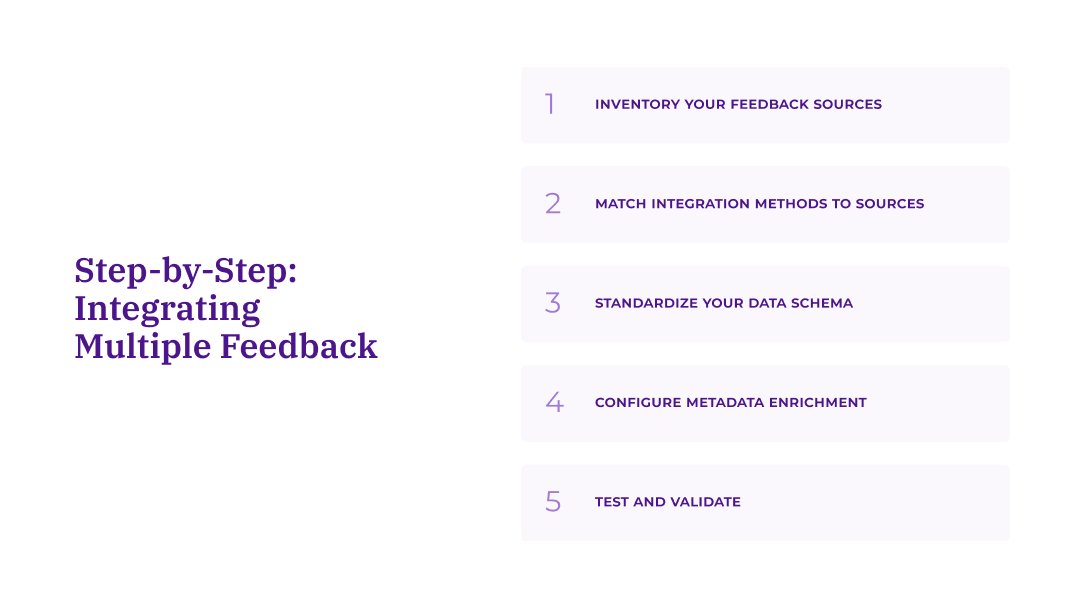
1. Inventory your feedback sources
Catalog all sources by volume, integration options, and business priority
2. Match integration methods to sources
Select the right method (connector, API, file, warehouse) for each source
3. Standardize your data schema
Define required fields and metadata structure across all sources
4. Configure metadata enrichment
Add customer data, timestamps, and source tags during ingestion
5. Test and validate
Verify data completeness, field mapping, and set up ongoing monitoring
Once you understand the integration methods available, the next step is applying them systematically across your feedback sources. This five-step process helps you prioritize, configure, and validate your integrations.
Step 1: Inventory your feedback sources
Before choosing integration methods, catalog every source of customer feedback your organization collects. For each source, document:
Volume: How much feedback does this source generate monthly? Higher-volume sources like surveys, support tickets, and app reviews typically warrant more robust integration methods than lower-volume sources like sales call notes or community forums.
Integration availability: What connection options exist?
Native connector available
API available (requires development)
File export only
Already in data warehouse
Business priority: How critical is this source to decision-making?
Tier 1: Sources tied directly to KPIs (NPS surveys, support tickets affecting CSAT)
Tier 2: Important but less frequent (product reviews, social mentions)
Tier 3: Supplementary context (sales feedback, community discussions)
Step 2: Match integration methods to sources
Use this decision framework to select the right integration method for each source:
If a native connector exists → Use it. Native connectors minimize setup time and maintenance burden. Even if you have API capabilities, pre-built connectors typically handle edge cases and updates for you.
If no native connector but API is available → Evaluate volume and frequency needs. For high-volume, real-time requirements, invest in API integration. For lower-volume sources, file exports may be more practical.
If data already lives in your warehouse → Use warehouse connections. Don't duplicate data pipelines. Extract from where the data already lives.
If only file export is available → Set up automated imports. Configure scheduled uploads via secure file transfer rather than relying on manual processes.
Step 3: Standardize your data schema
Regardless of source, your feedback data needs consistent structure for unified analysis. Define required fields that every source must include:
Universal required fields:
Unique feedback ID
Source system identifier
Timestamp (when feedback was submitted)
Raw feedback text
Customer identifier (where available)
Recommended metadata fields:
Customer segment or tier
Product or service referenced
Channel (web, mobile, in-store, phone)
Associated metrics (NPS score, CSAT rating, star rating)
Geographic region
Language
Source-specific fields to preserve:
Survey question text
Support ticket category or priority
Review platform and rating
Agent or representative involved
The goal isn't forcing every source into identical structure. It's ensuring you can filter, segment, and compare feedback across sources while preserving context that makes each source valuable.
Step 4: Configure metadata enrichment
Metadata transforms raw feedback into segmentable, actionable data. During integration setup, map source fields to your standardized schema and add enrichment where possible.
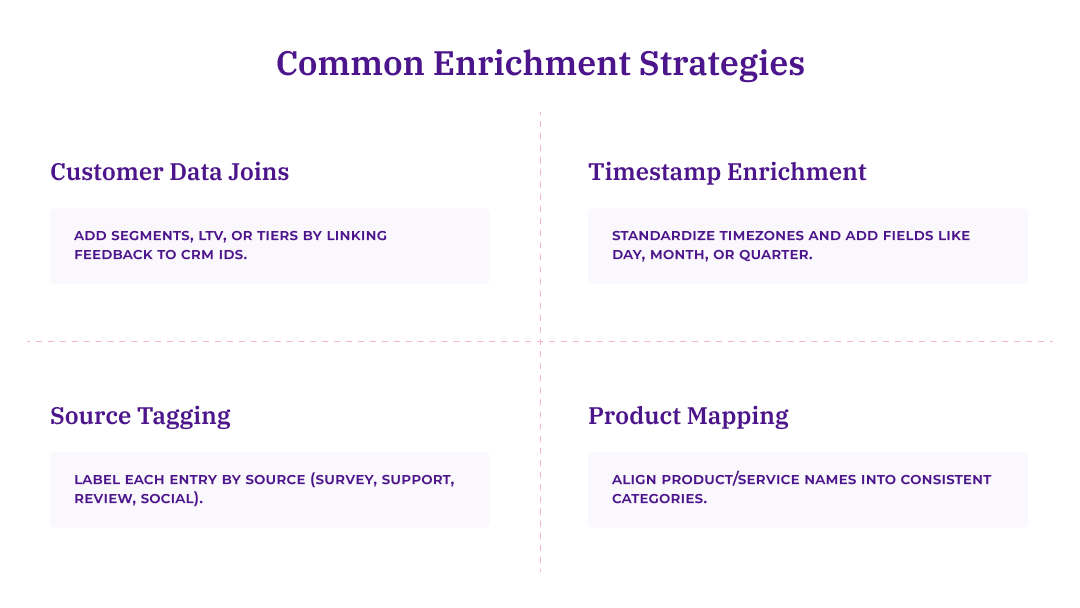
Common enrichment strategies:
Customer data joins: Link feedback to CRM data using customer identifiers to add segment, lifetime value, or account tier.
Timestamp enrichment: Convert timestamps to your standard timezone. Add derived fields like day of week, month, or quarter for trend analysis.
Source categorization: Tag each record with source type (survey, support, review, social) to enable cross-channel comparison.
Product mapping: Normalize product or service names across sources (e.g., map "Premium Plan," "Pro Tier," and "Enterprise" to consistent categories).
Step 5: Test and validate before going live
Before relying on integrated data for analysis, verify each connection is working correctly:
Data completeness check: Compare record counts between source system and analytics platform. Significant discrepancies indicate dropped records or filter issues.
Field mapping validation: Spot-check that fields appear in correct columns. Misaligned mapping can put timestamps in text fields or lose critical metadata.
Historical data verification: If backfilling historical data, confirm date ranges are complete and records aren't duplicated.
Ongoing monitoring: Set up alerts for integration failures or unusual volume drops. Many platforms provide data upload history showing success/failure status for each pull.
Maintaining data quality across integrated sources
Getting data into your analytics platform is only half the challenge. Keeping that data accurate, consistent, and useful over time requires ongoing attention to quality.
Handle duplicate feedback across channels
Customers often provide feedback through multiple channels about the same issue. A customer might tweet about a problem, then file a support ticket, then mention it in a post-interaction survey.
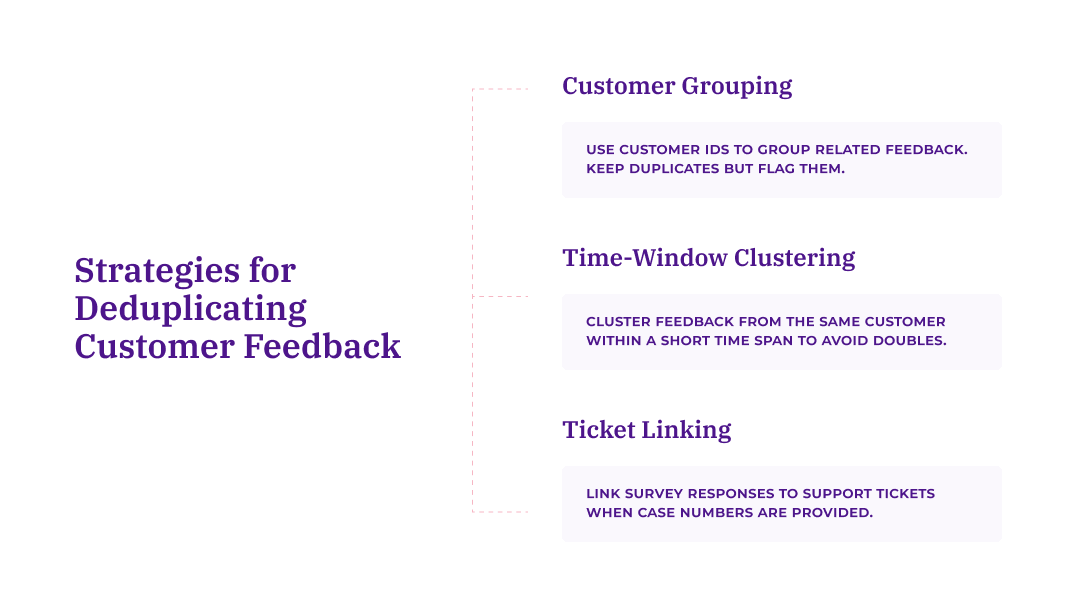
Deduplication strategies:
Customer-based grouping: Use customer identifiers to group related feedback. Don't delete duplicates (they indicate issue severity), but flag them for analysis.
Time-window clustering: Feedback from the same customer within a short time period often relates to the same experience. Cluster these for context without double-counting in volume metrics.
Cross-reference support tickets: When survey responses include case numbers or ticket references, link them explicitly.
Preserve source context
Different channels capture different types of feedback. Survey responses tend to be structured and prompted, support tickets capture problems requiring resolution, and reviews reflect how customers feel after an experience has concluded.
These differences matter. Rather than forcing all feedback into a uniform format, preserve source type as a filterable field. This allows analysts to:
Compare sentiment across channels
Identify issues that surface in support but not surveys (or vice versa)
Weight findings appropriately (a problem mentioned across all channels matters more than one confined to a single source)
Monitor integration health
Integrations aren't a set-and-forget solution. APIs change, credentials expire, and source systems get updated, all of which can quietly break your data flow.
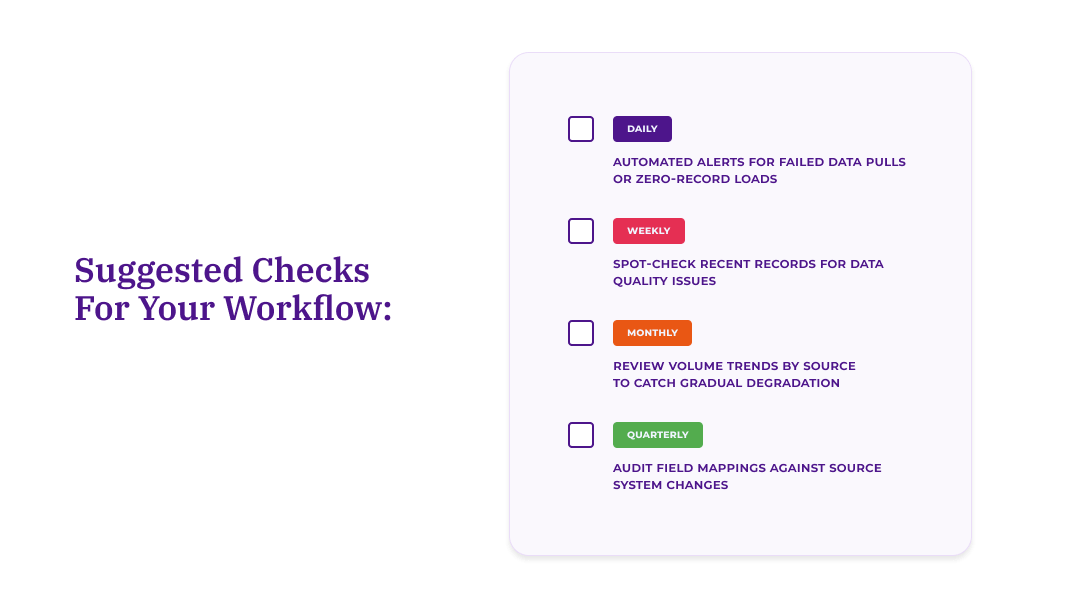
Building regular checks into your workflow helps you catch issues before they affect your analysis.
Daily: Automated alerts for failed data pulls or zero-record loads
Weekly: Spot-check recent records for data quality issues
Monthly: Review volume trends by source to catch gradual degradation
Quarterly: Audit field mappings against source system changes
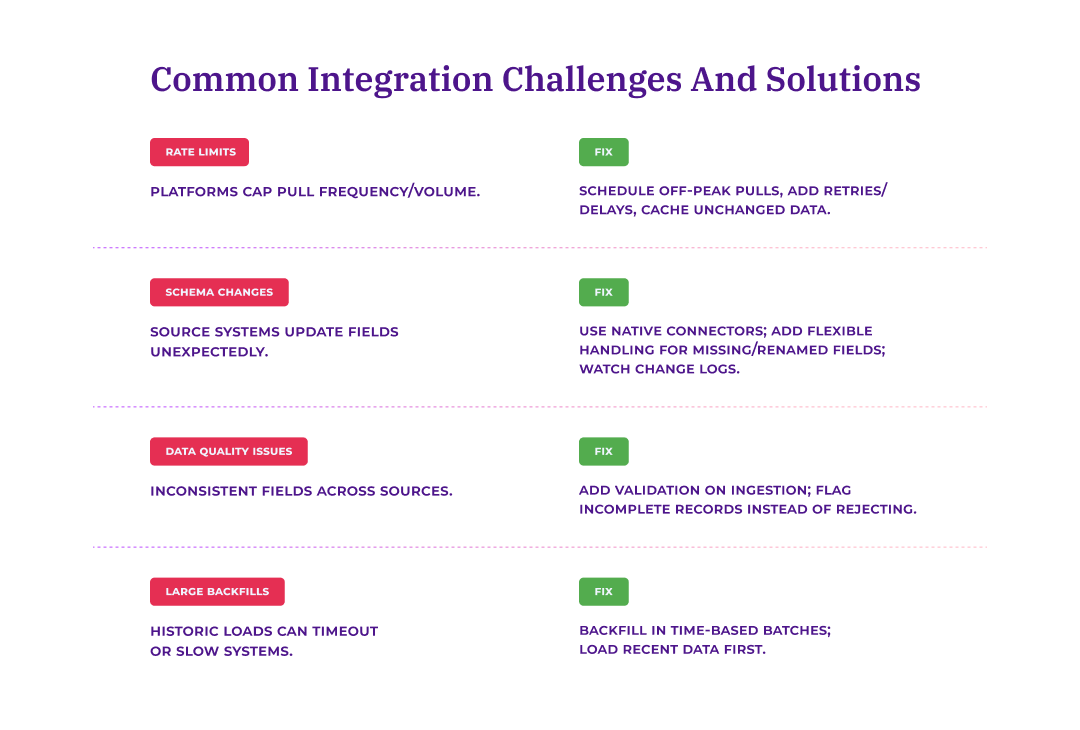
Common integration challenges and solutions
Even well-planned integrations run into issues. Here are the most common challenges and how to address them:
Rate limiting and API constraints
Many platforms limit how frequently you can pull data or how many records you can request at once. This can slow down initial data loads or cause failed syncs during high-volume periods.
Solution: Work within rate limits by scheduling pulls during off-peak hours, adding delays between retry attempts, and storing data locally rather than re-pulling unchanged records.
Schema changes in source systems
Source platforms occasionally update their data structures, which can break existing integrations without warning.
Solution: Use native connectors where possible, since vendors typically handle schema changes for you. For API integrations, build flexibility into your code to handle missing or renamed fields gracefully, and subscribe to source platform changelogs.
Data quality inconsistencies
Different sources have different data quality standards. Support tickets may have mandatory fields, while open-ended surveys may not. This inconsistency can create gaps in your unified dataset.
Solution: Implement validation rules during ingestion. Flag records missing critical fields rather than rejecting them entirely, since partial data often still has value.
Large historical backfills
Loading years of historical feedback can strain both source systems and your analytics platform, sometimes causing timeouts or performance issues.
Solution: Backfill in batches by time period rather than all at once. Start with recent data to enable immediate analysis while historical data loads in the background.
Choosing the right integration approach for your organization
The best integration strategy depends on your team's technical capabilities and existing infrastructure. Here's how to match your approach to your resources.
Team type
Recommended approach
Key considerations
No dedicated engineering
Native connectors + file imports
Self-service setup, pre-built field mapping, no coding required
Single source of truth, joins with operational data, centralized governance
For teams without dedicated engineering resources
If you don't have developers available for integration work, prioritize platforms with extensive native connector libraries. Look for:
Simple authentication (log in and authorize, no coding required)
Pre-built field mapping
Self-service setup without IT involvement
Automated ongoing synchronization
Thematic, for example, offers self-service integration setup where analysts can connect new data sources without technical support. File imports provide a fallback for sources without native connectors, though the tradeoff is manual effort for exports and uploads.
For organizations with data engineering support
If you have engineering resources available, API integrations and warehouse connections offer maximum flexibility. Your team can:
Build custom transformations during ingestion
Implement real-time streaming for time-sensitive feedback
Create unified pipelines that serve multiple analytics tools
Maintain data lineage and governance controls
For enterprises with modern data stacks
If your organization already uses a centralized data warehouse, leverage that existing infrastructure. Rather than creating parallel data pipelines, extract feedback from where it already lives. This approach:
Maintains a single source of truth for customer data
Enables joins with operational data (revenue, usage, churn)
Fits within established data governance frameworks
Allows transformed insights to flow back for cross-functional use
Request a demo of Thematic's Customer Intelligence Platform
Thematic turns fragmented feedback into one consistent source of customer truth — so every team acts on the same customer story. Up and running in days, not quarters.
Thank you! Your submission has been received!
Oops! Something went wrong while submitting the form.